Draw an aquarium Creator & Community Players
Who built Draw an aquarium, how servers fill with tanks, and how to study popular aquariums for better draws.
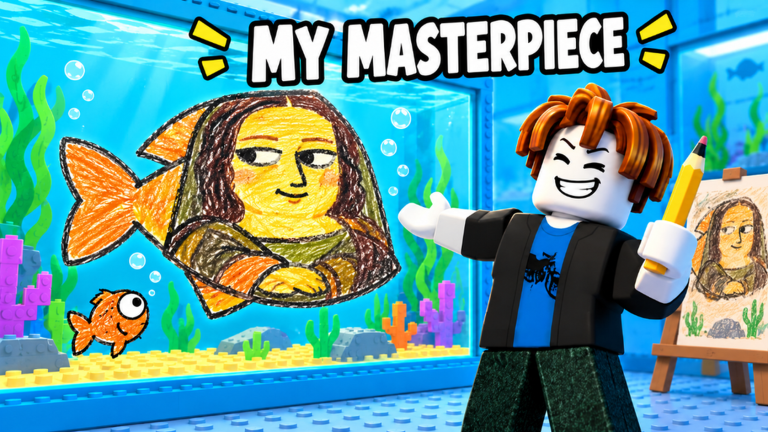
The Players Hub covers the people behind Draw an aquarium and the community tanks you will see in live servers. This Roblox Simulation / Tycoon experience was created by SanderManderen (user id 11550969284). The place launched on 27 October 2026, supports up to 7 players per server, and revolves around drawing fish, earning star ratings, rolling rarity and mutations, then growing passive income with tank and luck upgrades.
Use this page when you want creator context, badge goals tied to great drawings, or a practical way to scout other players’ aquariums for inspiration. Pair it with the Guides Hub, Getting Started, Tier List Hub, Codes Hub, Tools Hub, and Scripts Hub so progress advice and community scouting stay in sync.
Creator profile
SanderManderen publishes Draw an aquarium on Roblox. Bookmark the official creator profile if you want to follow future experiences from the same developer, and open the game place page for joins, likes, and visits. Universe id 10773262148 is the experience root used by assets and catalog tooling on this wiki.
Creator-focused habits that help new players:
- Confirm you are joining the correct place title (Draw an aquarium) before spending Robux or time decorating.
- Watch the creator’s other published experiences for art style cues that often transfer into aquarium decor themes.
- Recheck the Updates Hub after any creator announcement so luck, decor, and code changes do not surprise your income plan.
- Keep the Links Hub bookmarked for the verified Roblox URLs only—this wiki does not invent Discord invites or third-party group chats.
How multiplayer tanks work in practice
Servers cap at seven players, so every session is a small gallery of aquariums rather than a massive lobby. That size is ideal for studying layouts: you can walk the room, compare star-worthy fish silhouettes, and note which decorations make tanks feel dense without clutter. Popular aquariums usually share a few traits—clear focal fish, readable colours, and upgrades that push money per second without starving luck.
When you join a populated server:
- Scan for tanks with high visual contrast (bright mutations such as Gold, Diamond, or Rainbow stand out).
- Note which rarity labels you see most often: Common, Rare, Epic, Legendary, Mythic, and SECRET.
- Mentally score drawings against the checklist on the Tools Hub (size, colours, detail, eyes, neatness) before you redraw your own fish.
- Check whether owners invested early in luck or tank capacity; that pattern often explains why their rolls look better than yours at the same playtime.
Studying other players is not copying pixel-for-pixel. Treat popular tanks as reference boards: borrow silhouette ideas, colour pairings, and decor density, then redraw with your own style so star ratings stay consistent.
Badges that signal strong player milestones
Draw an aquarium awards badges that double as community flexes and personal goals:
| Badge | What it usually means |
|---|---|
| My First Fish | You completed the first draw and entered the core loop. |
| Masterpiece | A drawing hit a high star quality bar worth celebrating. |
| Legendary Catch | You rolled into Legendary rarity territory. |
| Secret Fish | You hit the rare SECRET tier. |
| Rainbow Fish | You landed the Rainbow mutation on a fish. |
Chasing badges is healthier when tied to systems pages. Use the Tier List Hub to decide which rarities and mutations deserve aquarium slots, redeem anything live on the Codes Hub, and follow Getting Started if you still need the early money loop explained.
Finding popular aquariums without a Discord
There is no confirmed official Discord listed on this wiki. Until a verified invite appears on the Links Hub, rely on in-game servers and Roblox social features:
- Join full or nearly full servers (closer to the seven-player cap) where more tanks are on display.
- Friend players whose aquariums clearly outpace yours in stars, mutations, or decor polish, then rejoin with them later.
- Revisit the same server after short breaks—players who stick around often keep upgrading in public view.
- Screenshot layouts you admire (local only) and rebuild the idea during your next draw session.
- Cross-check patch timing on the Updates Hub so you are not copying a decor set that just got rebalanced or replaced.
If you use third-party script lists from the Scripts Hub, treat them as optional automation notes with account-risk awareness—never as a substitute for learning star quality by eye.
How creators and community feed the rest of the wiki
Player scouting is most useful when it feeds decisions elsewhere:
- Better draws → run the pre-roll checklist on Tools before you lock a fish.
- Better investments → compare what top tanks upgrade first, then read luck priority tips on the same tools page.
- Better targets → map what you see in servers onto the rarity and mutation ranks in the Tier List.
- Faster progress → claim codes, then follow the income steps in Guides.
- Safer browsing → stick to official Roblox URLs collected under Links and the site map on Wiki.
Practical session plan for community learning
- Warm up with one careful drawing using the star checklist.
- Roll rarity and mutation; slot keepers according to the tier list.
- Spend early income on the luck / tank order recommended in tools.
- Join a busy server and study two or three aquariums for five minutes.
- Redraw once with a single improvement (eyes, silhouette, or colour clean-up).
- Check Updates before ending the session so tomorrow’s plan matches the live patch.
Repeat that loop and your tank will start resembling the popular aquariums you admire—without needing an external Discord or unofficial group to learn from.
For site navigation help, see How to use this wiki. For official joins only, stay on the Links Hub.
Frequently Asked Questions
Quick answers for Draw an aquarium on Roblox.
Who created Draw an aquarium on Roblox?
SanderManderen (user id 11550969284) created the experience. Follow the official Roblox creator profile linked from this hub and the Links Hub.
How many players can share a server?
Servers support up to seven players, which makes it easy to walk around and study several aquariums in one session.
How do I find popular aquariums without Discord?
Join fuller servers near the seven-player cap, friend players with strong tanks, and rejoin later. This wiki only lists confirmed Roblox links—no invented Discord invites.
Which badges show strong drawing or roll milestones?
Watch for My First Fish, Masterpiece, Legendary Catch, Secret Fish, and Rainbow Fish as you improve star quality and hit rarer rolls.
What should I do after scouting a great tank?
Apply one visual improvement using the Tools Hub checklist, then confirm rarity priorities on the Tier List Hub and claim any live Codes before your next upgrade spend.